
Discounts & SalesUpdated 3 days ago
Discount Codes
Most discount codes apply only to full-priced, in-stock Nomad products. Pre-ordered and back-ordered items are not considered in-stock. Be sure to review the limitations associated with your discount code before shopping. Discount codes will automatically become invalid after their expiration date.
Note: Our system can only apply one discount/ promotion per order.
How can I get a discount?
Stay tuned to our social media and email newsletter for the latest deals. We regularly offer discount codes, so it's worth keeping an eye out! You can sign up for our email newsletter by entering your email in the form at the footer of our website.
You can also find discounted Nomad gear in our Overstock collections.
Apple Pro Deal
The Nomad Apple Pro Deal promotion is currently paused indefinitely.
Where do I enter my discount code?
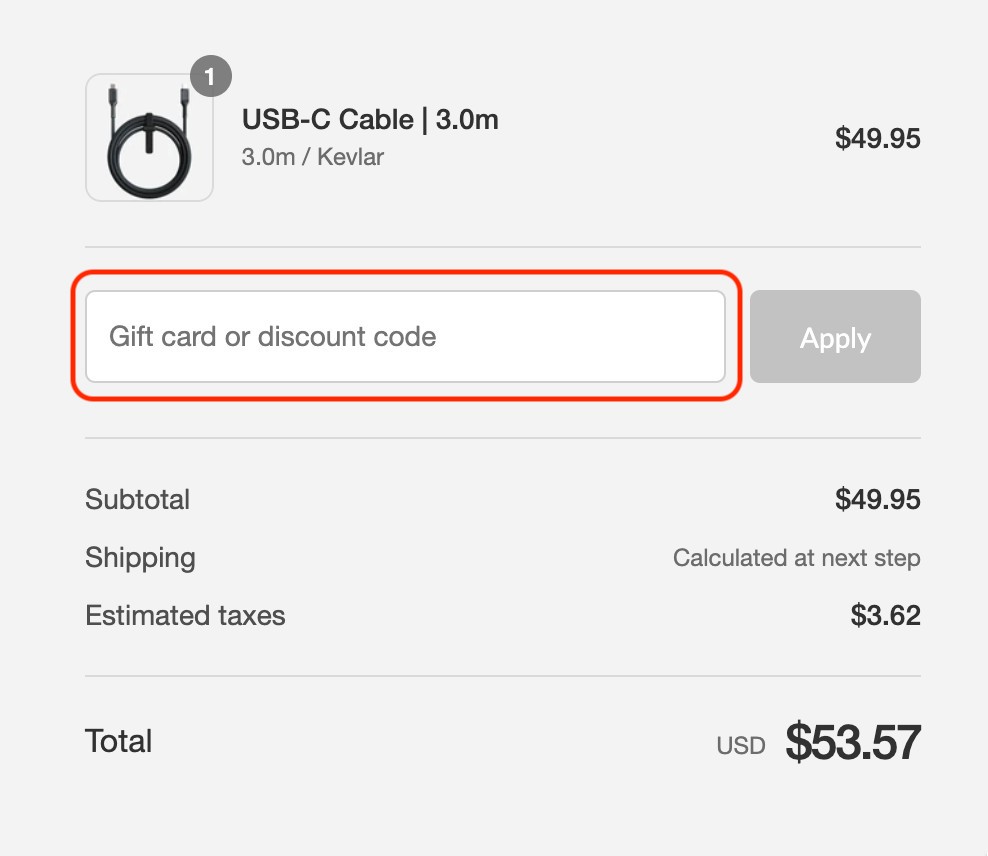
On the checkout page, enter your discount code in the field that says 'Gift card or discount code.'
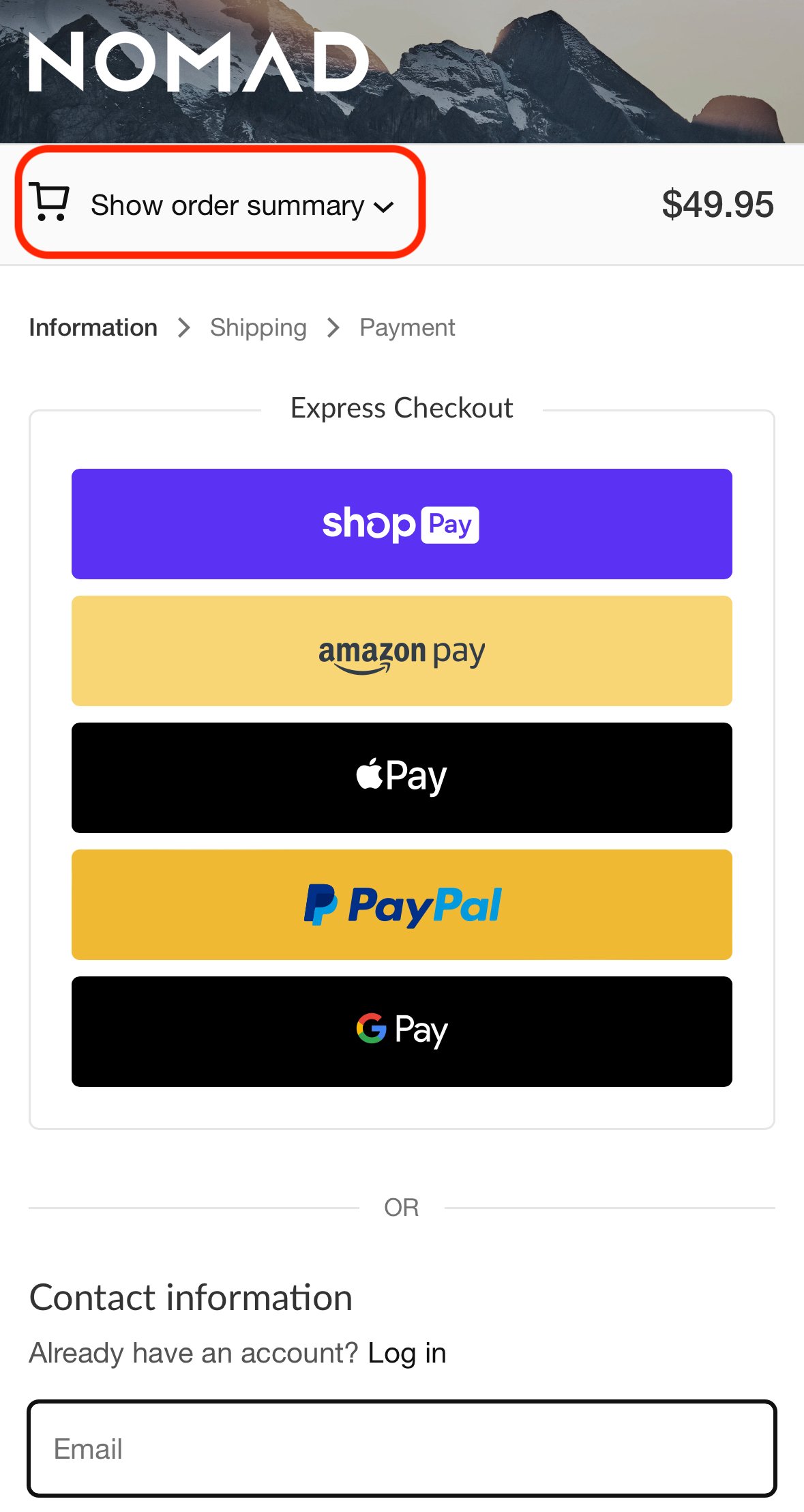
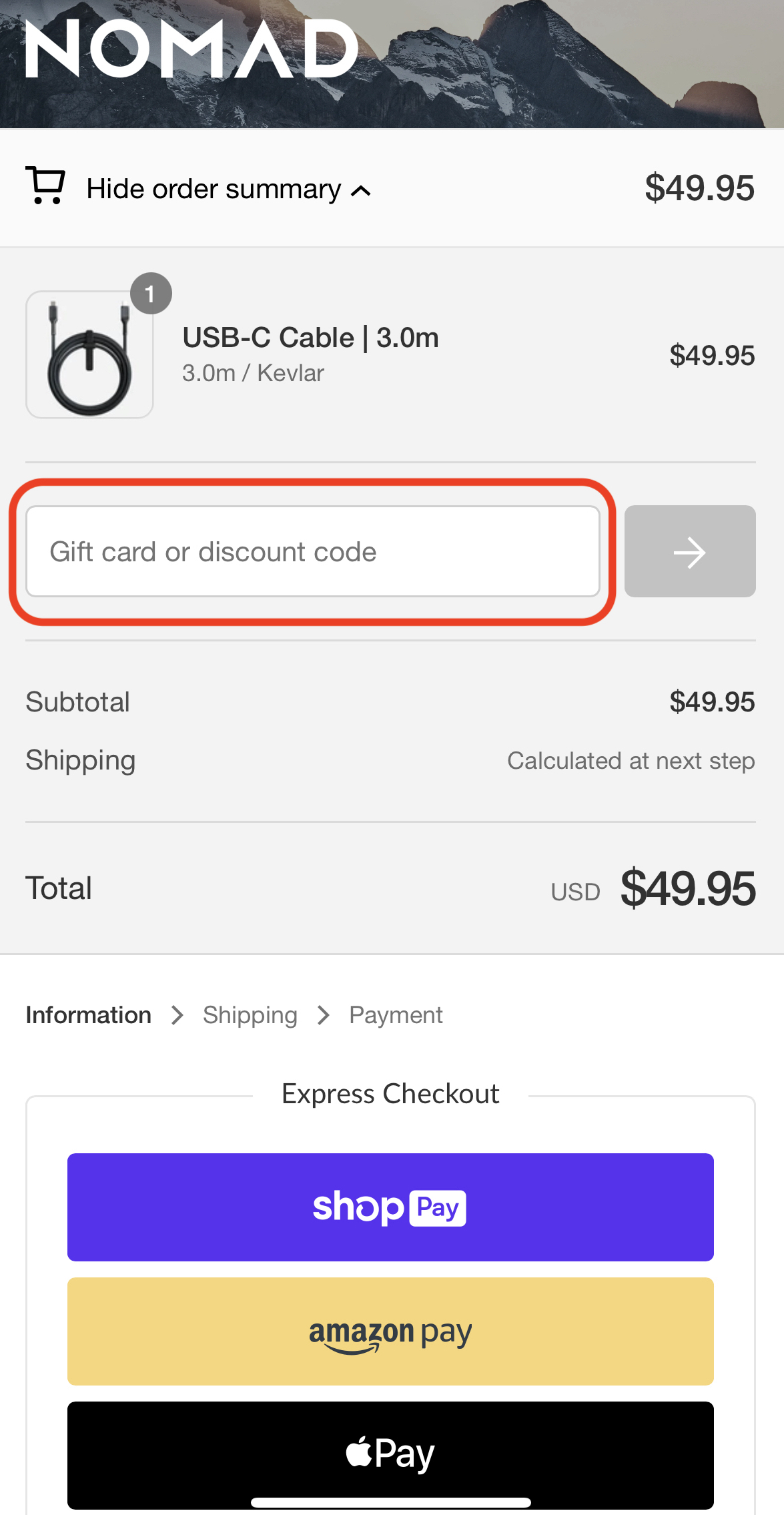
On mobile, select the 'Show order summary' dropdown near the top of the screen to reveal the 'Gift card or discount code' field.
Why is my discount code not working?
- Most discount codes do not apply to preordered, backordered, or already discounted products.
- Discount codes may not be valid for other brands' products sold through www.nomadgoods.com.
- Most discount codes have an expiration date listed in their accompanying messaging. Double-check that your code is still active.
- Only one discount code / promotion can be used per order.
- Discount codes may not be valid during sitewide sales since all products are already discounted. This includes Black Friday.
- Our website may have a technical issue causing an error with your discount code. If you've checked that your discount code meets the requirements above and you're still having trouble, reach out to us at [email protected].
Store Credits
Your store credits are saved to your Nomad account. To check your available balance, log in to your account by clicking the person icon in the upper-right corner of our website.
Your available store credit balance will be displayed next to your profile name.
How to Use Your Store Credits at Checkout
To apply your store credits to a purchase, follow these steps:
- At checkout, click Sign in and enter the email address registered to your Nomad account.
- Select Use Email instead.
- Enter the 6-digit verification code sent to your email address.
- Once you're successfully signed in, your available store credit will appear under the payment options.
- Select your store credit to apply it to your order.
If your store credit doesn't cover the full order total, you can pay the remaining balance using another available payment method.
If you’re having trouble using your store credit, don’t worry. Just email [email protected], and our team will assist you.
Overstock Sale
Nomad's Overstock collection contains discounted gear. These items tend to sell out fast and once they're gone, they're gone for good.
Overstock Sale Return Policy
All discounted products are valid for return through the Return Center.
Overstock Sale Warranty Policy
All discounted products are covered under Nomad's 2-year manufacturer warranty, except cables, which are covered under Nomad's 5-year manufacturer warranty. Refer to our Warranty Policy for more information.